
 blog
blog
Are Smart Home Systems Worth the Investment in 2026?
Table of Contents
- What Smart Home Systems Actually Do
- Smart Home Pros and Cons: The Real Trade-Offs
- Smart Home System Cost: Breaking Down the Investment
- Smart Home Energy Savings: What You Can Realistically Expect
- Smart Home Devices That Work Together: Avoiding Compatibility Headaches
- Security, Privacy, and Cybersecurity Considerations
- Is a Smart Home System Worth It for Your Situation?
- Frequently Asked Questions
Last Updated: October 12, 2026
What Smart Home Systems Actually Do
A smart home system connects devices throughout your house so they communicate with each other and respond to your commands. Instead of manually adjusting your thermostat, turning on lights, or checking security cameras, you control everything from a phone app or voice command.
The core appeal is automation: lights dim when you leave work, the thermostat adjusts before you arrive home, and the security system activates when the last person leaves. At Master Builder llc., homeowners increasingly ask whether smart home systems worth the upfront investment and ongoing costs.
Smart home systems range from a few connected devices to complex installations managing heating, cooling, security, lighting, and entertainment across every room.
Smart Home Pros and Cons: The Real Trade-Offs
The genuine benefits exist, but they're not universal. Convenience, time savings, security monitoring, and energy efficiency only materialize if your household uses the system consistently.
Pros of smart home systems:
- Convenience and time savings. Control lighting, temperature, and locks without getting up or walking to different rooms.
- Remote access. Check on your home or adjust settings from anywhere using a mobile app.
- Automation routines. Set rules so devices respond automatically to time, location, or triggers.
Cons of smart home systems:
- High upfront costs. Quality devices, installation, and setup infrastructure require significant initial investment.
- Ongoing subscription fees. Many systems charge monthly for cloud storage, monitoring, or advanced features.
- Compatibility headaches. Devices from different manufacturers often don't work together seamlessly.
The real trade-off is complexity versus convenience. Every additional device adds potential points of failure. Every automation rule requires setup and testing. The system works best when you're willing to invest time in configuration and maintenance, not just money upfront.
Smart Home System Cost: Breaking Down the Investment
Most homeowners underestimate the true cost of a smart home system because they price the hardware and stop there.
Assumptions used in this model:
- Five-year ownership window.
- Mid-range devices (not budget, not premium).
- DIY installation for the basic tier, professional installation for the comprehensive tier.
Tier 1, Starter system (speaker, thermostat, 4 bulbs, 1 camera, 2 plugs):
| Line item | Upfront | Annual | 5-year total |
|---|---|---|---|
| Hardware | $450-$800 | , | $450-$800 |
| Installation | $0 (DIY) | , | $0 |
| Cloud storage (1 camera) | , | $36-$120 | $180-$600 |
| Replacements (bulbs, plugs) | , | , | $60-$120 |
| Subtotal | $690-$1,520 |
Tier 2, Moderate system (adds smart lock, 2 more cameras, smart switches, hub):
| Line item | Upfront | Annual | 5-year total |
|---|---|---|---|
| Hardware | $1,200-$2,000 | , | $1,200-$2,000 |
| Installation | $0-$500 | , | $0-$500 |
| Cloud storage (3 cameras) | , | $108-$360 | $540-$1,800 |
| Monitoring plan | , | $180-$600 | $900-$3,000 |
| Replacements (lock batteries, sensors, one camera) | , | , | $250-$500 |
| Subtotal | $2,890-$7,800 |
Tier 3, Comprehensive system (whole-home lighting, multi-zone climate, 4+ cameras, integrated security, pro install):
| Line item | Upfront | Annual | 5-year total |
|---|---|---|---|
| Hardware | $3,000-$6,000 | , | $3,000-$6,000 |
| Professional installation | $1,000-$2,500 | , | $1,000-$2,500 |
| Cloud + monitoring | , | $300-$900 | $1,500-$4,500 |
| Replacements and upgrades | , | , | $500-$1,200 |
| Subtotal | $6,000-$14,200 |
What the model reveals:
- Subscriptions are the silent cost. A $10/month camera plan looks trivial until you multiply it by 60 months. Across a moderate system, subscriptions and monitoring can equal 40-60% of hardware cost over five years.
- Installation scales with complexity. A smart thermostat is a 30-minute DIY job, but whole-home lighting with smart switches may require an electrician priced per circuit, not per device.
- Replacement cycles matter. Smart bulbs, lock and sensor batteries, and cameras that lose firmware support need replacing before year five. Budget roughly 10-15% of hardware cost per year.
- The internet bill is not a smart home cost. You already pay for internet; only the marginal upgrade belongs in the model.
How to shrink the TCO without gutting the value:
- Buy local-control devices. Devices that work over your local network without a cloud subscription eliminate recurring fees for lighting and plugs.
- Skip cloud storage where you can. Many cameras support local microSD or network-attached storage, removing $10-$30/month per camera.
- Install during a renovation. Running wiring and network drops during construction is cheaper than retrofitting.
The question is not whether you can afford the sticker price, but whether the five-year TCO, minus realistic savings, is a number you're comfortable paying for the features you actually use.
Smart Home Energy Savings: What You Can Realistically Expect
Energy efficiency is the most overpromised benefit of smart home systems. To evaluate it honestly, you need device-specific estimates and stated assumptions, not marketing claims.
Assumptions used in this model:
- Electricity rate of $0.16/kWh (close to the U.S. average; check your own bill).
- Natural gas or heat pump heating cost of $1.10-$1.60 per therm equivalent.
- A 2,000 sq ft single-family home with typical occupancy.
- Savings are stated as ranges because climate, insulation, and behavior dominate the result.
Smart thermostat:
| Factor | Value |
|---|---|
| Device cost | $150-$400 |
| Installation | $0 (DIY) to $200 (pro) |
| Typical heating/cooling savings | 8-15% of HVAC energy use |
| Typical annual HVAC spend (2,000 sq ft) | $1,200-$2,400 |
| Annual savings | $96-$360 |
| Payback period | roughly 1-4 years |
Savings come from scheduled setbacks and learning algorithms that adjust based on occupancy.
Smart lighting:
| Factor | Value |
|---|---|
| Device cost | $15-$50 per bulb, $100-$300 per switch |
| Savings vs. incandescent | 75-90% (but this is LED savings, not smart savings) (Upgrade Your Lighting) |
| Incremental savings from automation | 5-15% of lighting energy |
| Typical annual lighting spend | $150-$400 |
| Incremental annual savings | $8-$60 |
| Payback period | often 5+ years, sometimes never |
The honest verdict: if you already have LED bulbs, smart lighting rarely pays for itself on energy alone.
Smart plugs and energy monitors:
| Factor | Value |
|---|---|
| Device cost | $15-$50 per plug, $100-$300 for a whole-home monitor |
| Savings mechanism | Eliminating phantom loads and identifying energy hogs |
| Typical annual savings | $30-$120 |
| Payback period | 1-3 years for plugs; 2-4 years for monitors |
Energy monitors don't save energy by themselves, they save energy by showing you what to change.
What the model reveals:
- The thermostat is the only device with a reliably short payback. Everything else is marginal or dependent on behavior change.
- Energy savings alone almost never justify a comprehensive system. A $6,000-$14,000 system would need $1,200-$2,800/year in savings to break even in five years, far above what most homes achieve.
- Savings compound only when devices work together. A thermostat that knows you left, lights that turn off in empty rooms, and plugs that cut phantom loads add up, but each contributes a modest slice.
- Climate dominates the result. A mild climate may see $100/year in HVAC savings; extreme seasons may see $400/year from the same thermostat.
When energy savings do justify the investment:
- You are already replacing an HVAC system and adding a smart thermostat at the same time.
- You have high utility bills and are willing to change behavior based on monitor data.
- You are building or renovating and can install smart lighting and climate control without retrofit labor.
- You live in a climate with extreme temperature swings where setbacks produce large savings.
Smart Home Devices That Work Together: Avoiding Compatibility Headaches
The biggest frustration with smart home systems isn't the cost, it's that devices from different brands don't always play nicely together.
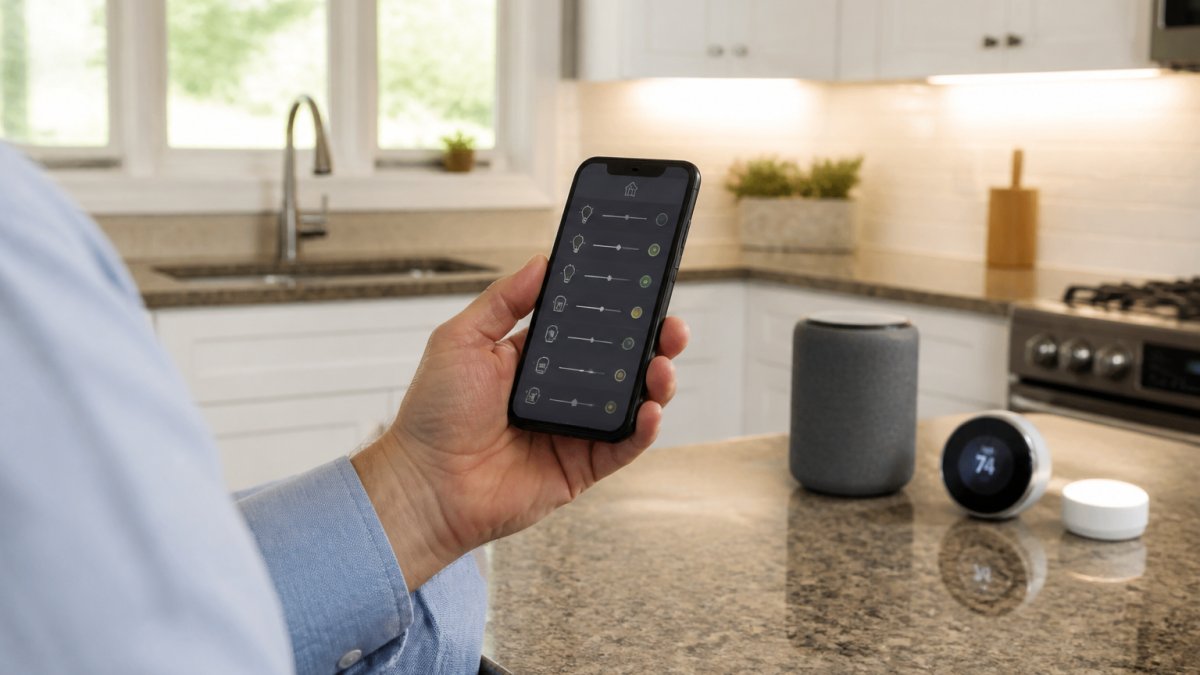
Ecosystem fragmentation is the core problem. Amazon's Alexa, Google Home, and Apple's Siri each have their own ecosystems, and a device designed for one may not integrate smoothly with another.
Compatibility considerations:
- Pick a primary platform early. Choose Alexa, Google Home, or Apple HomeKit and prioritize devices that integrate natively with it.
- Check compatibility before buying. Verify that new devices work with your existing ecosystem, not just that they're "smart."
- Use bridges and hubs. Some devices connect through a hub that translates between platforms, but this adds cost and complexity.
- Avoid orphaned devices. Buying a device from a manufacturer that stops supporting it leaves you stuck.
The safest approach is to standardize on one platform and buy devices that integrate directly with it. This limits your options but eliminates compatibility headaches.
Security, Privacy, and Cybersecurity Considerations
Connected devices create security risks that often go unmentioned in marketing materials.
Privacy concerns:
- Smart speakers listen for wake words and record and store audio, sometimes longer than you realize.
- Security cameras transmit video to cloud servers, where it is stored and potentially accessible to employees or hackers.
- Usage data from thermostats, lights, and other devices reveals patterns about your home and habits, which manufacturers collect for analytics or sale to third parties.
Cybersecurity risks:
- Weak passwords or default credentials make smart devices easy targets for hackers.
- Unpatched devices with outdated firmware create entry points into your home network.
- Compromised devices can launch attacks on other networks or steal data.
- Your Wi-Fi network is only as secure as the weakest connected device.
Risk mitigation steps:
- Change default passwords immediately on all devices.
- Use strong, unique passwords for each device and your smart home platform account.
- Enable two-factor authentication on your smart home account.
- Keep devices updated with the latest firmware patches.
The privacy and security trade-off is real: smart home systems require accepting some data collection and connectivity risks in exchange for convenience. That's a personal choice worth making consciously, not by default.
Is a Smart Home System Worth It for Your Situation?
Whether smart home systems worth it depends entirely on your household, priorities, and tolerance for complexity.
Smart home systems make sense if:
- You value convenience enough to justify $1,000-$2,000+ in annual spending.
- You're willing to spend time setting up, configuring, and troubleshooting devices.
- You have reliable, fast internet and a stable Wi-Fi network.
- You want to monitor your home remotely for security or peace of mind.
Smart home systems don't make sense if:
- You're primarily motivated by energy savings. The payback period is too long.
- You prefer simplicity and minimal technology in your home.
- Your internet connection is unreliable or slow.
- You're not willing to manage multiple devices, apps, and subscriptions.
The middle ground: Start small. Buy a smart speaker and a thermostat, use them for three months, and expand gradually if you use them regularly.
When you're planning a renovation or new construction, this is the ideal time to integrate smart home infrastructure. At Master Builder llc., we work with architects and designers to plan electrical runs, network placement, and device integration during the build phase.
Smart home systems aren't inherently worth the investment. If you're planning a significant renovation or new build and want to explore smart home integration as part of the project, the U.S. Department of Energy's guidance on smart home efficiency provides practical recommendations. For security and privacy considerations, the Federal Trade Commission's guidance on connected device security offers evidence-based best practices.
Frequently Asked Questions
Do smart home systems actually save energy and reduce utility bills?
Smart thermostats and connected lighting can reduce energy consumption, but savings depend on your current habits and climate. A programmable smart thermostat may save 10-15% on heating and cooling costs annually. However, the payback period varies: in colder climates, savings accumulate faster than in mild ones. Real energy savings require active use, set schedules that match your lifestyle, or automation won't help. Calculate your potential savings based on your current utility bills before investing.
What's included in the total cost of a smart home system?
Smart home system costs include hardware (devices like thermostats, cameras, speakers, sensors), installation labor, and often subscription fees for cloud storage, monitoring, or advanced features. A basic setup with a few smart lights and a thermostat might start lower, while whole-home automation with security integration costs significantly more. Many systems also require ongoing maintenance and occasional device replacement. Get a detailed quote that separates hardware, labor, and recurring fees so you understand the full financial commitment.
Do smart home devices from different brands work together?
Not all smart devices are compatible. Some work within closed ecosystems (like Apple HomeKit or Amazon Alexa), while others use open standards like Matter or Zigbee. Before buying, verify that your chosen devices use the same protocol or are certified to work together. Mixing incompatible brands often requires workarounds or additional hubs, which adds cost and complexity. Check product specifications and compatibility lists before purchasing to avoid buying devices that won't communicate with each other.
Are smart home systems worth the investment if I'm planning a remodel?
Integrating smart home technology during a remodel is often more cost-effective than retrofitting later, since wiring and infrastructure installation happens alongside construction. If you're already managing a remodel project, coordinate with your contractor and designer early to plan smart home integration into the overall build. This approach reduces labor costs and prevents damage to finished surfaces. Discuss smart home priorities with your construction team to ensure proper planning and installation.